The simple answer is: Poshan Calculator ICDS means using the free online Poshan Calculator as a growth-monitoring aid within India’s Integrated Child Development Services (ICDS — the government programme that runs Anganwadi centres). An Anganwadi worker enters a child’s age, height, and weight, and instantly sees how the child compares with World Health Organization (WHO — the global agency that sets child-growth standards) benchmarks — right on a phone.
ICDS, launched in 1975, reaches over 14 lakh Anganwadi centres, and growth monitoring — regularly weighing and measuring children under six — is one of its core services. A fast, no-download tool that does the WHO-standard math instantly makes a busy worker’s day far easier.
👉 Try it now: open the free Poshan Calculator on any phone — no install, no sign-up.
In this article, you will understand:
- What ICDS is and how growth monitoring fits into it
- How Anganwadi workers can use the Poshan Calculator step by step
- What WHO growth standards, stunting, wasting, SAM, and MAM mean
- Digital tool vs traditional paper growth charts
What is Poshan Calculator ICDS? The Tool in One Paragraph
Poshan Calculator ICDS is not a separate app — it is the practice of using the free, web-based Poshan Calculator for growth monitoring under ICDS. The worker enters the child’s age, sex, height (or length), and weight, and instantly sees the WHO-standards comparison — no manual chart-plotting.
It complements the official Poshan Tracker app as a quick, parent-friendly way to explain growth status during counselling or home visits.
Takeaway: Poshan Calculator ICDS = the free WHO-based calculator, used the ICDS way — at the centre, with the family.
What is ICDS? India’s Anganwadi Network Explained
The Integrated Child Development Services (ICDS), launched in 1975, is India’s flagship programme for children under six and their mothers, delivering six services through Anganwadi centres: supplementary nutrition, pre-school education, immunisation, health check-ups, referrals, and nutrition education.
Under Mission Poshan 2.0, ICDS merged with Poshan Abhiyaan into one mission run by the Ministry of Women and Child Development — delivered through Anganwadi workers supported by helpers and ASHAs (Accredited Social Health Activists — village health workers).
Takeaway: ICDS is the 50-year-old backbone that Poshan 2.0 builds on.
Why Do Anganwadi Workers Need a Digital Growth Tool?
A single Anganwadi worker may track dozens of children, each needing regular weighing and measuring. Hand-plotting growth charts is slow and error-prone, while mothers want answers today, not next week. A no-download web tool removes the biggest barriers: no storage space, no updates, works on any smartphone browser — including the phones the mission provides to frontline workers. Caught early, faltering growth is far easier to correct.
Takeaway: Digital tools do not replace judgment — they give faster, clearer numbers.
How Growth Monitoring Works at an Anganwadi Centre
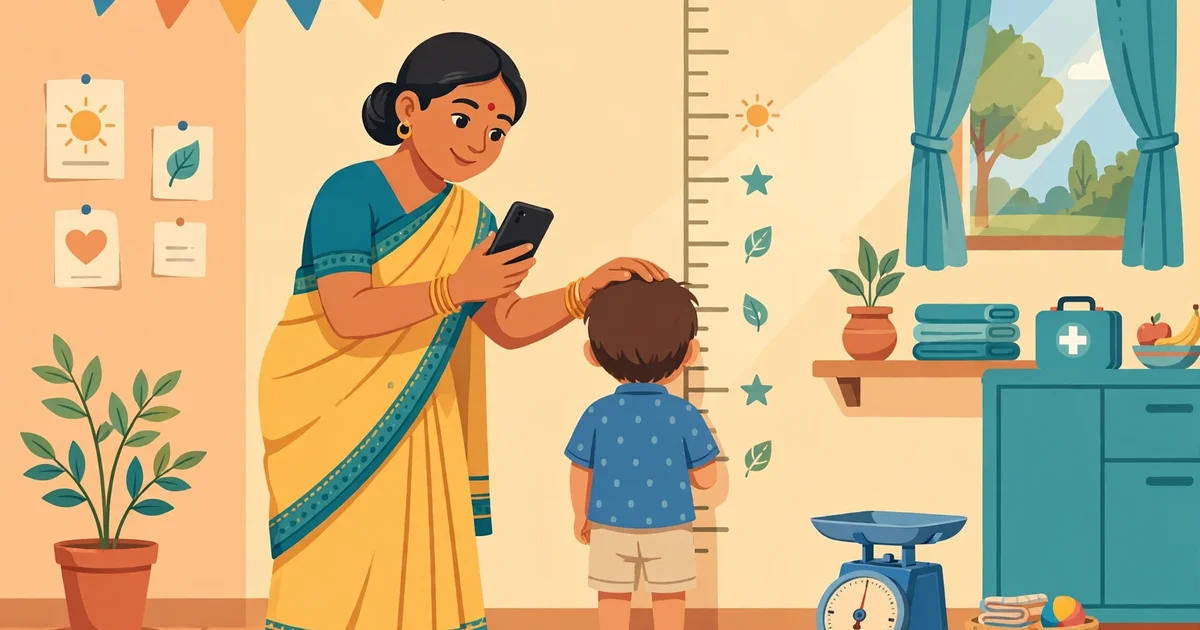
The worker weighs the child on a calibrated scale and measures height (or length for children under two), then compares the readings against WHO growth standards. Children are typically weighed monthly — more often for newborns and undernourished children — and the trend matters more than any single reading. Results guide everything: extra take-home rations, counselling, or referral to a health facility.
Takeaway: Measure regularly, watch the trend, act early — that is the whole science of growth monitoring.
How to Use the Poshan Calculator: A Step-by-Step Guide
Here is exactly how an Anganwadi worker (or a parent) can use the tool:
- Measure first. Weigh the child, measure height or length, and note the exact age.
- Open the calculator. Go to poshancalculator.org in any mobile browser — nothing to install.
- Enter the details. Fill in age, sex, height/length, and weight.
- Get the result instantly. The tool compares the numbers with WHO standards and shows the growth status.
- Explain it to the family. Use the result to counsel the mother on what is going well and what needs attention.
- Record and follow up. Note the reading in the register or Poshan Tracker app, and schedule the next measurement.
Important: The calculator is a screening aid, not a diagnosis. Only a trained health worker or doctor can confirm undernutrition and decide treatment.
Takeaway: Measure, enter, explain, record — four moves for any centre visit.
What Do WHO Growth Standards Actually Tell You?
WHO growth standards describe how children should grow when given good nutrition, healthcare, and care — based on a landmark study of healthy, breastfed children across six countries. When a child’s measurement is compared, the result shows how far they are from the median healthy child. Small deviations are normal; large or worsening ones signal a problem — and the Poshan Calculator does this comparison math automatically.
Takeaway: WHO standards are the shared ruler — the same one used from village centres to national dashboards.
What are Stunting, Wasting, and Underweight?
These three terms describe different faces of undernutrition:
- Stunting (low height for age) — chronic undernutrition; the child is too short. Needs sustained diet improvement.
- Wasting (low weight for height) — acute, recent undernutrition; the child is too thin. Needs urgent attention.
- Underweight (low weight for age) — a combined signal of either or both.
Two severity levels drive action: SAM (Severe Acute Malnutrition — dangerously thin, high risk, needs immediate referral and extra rations) and MAM (Moderate Acute Malnutrition — concerning, needs close monitoring and counselling).
Takeaway: Stunting = too short (chronic); wasting = too thin (acute); SAM/MAM = how urgently to act.
How Often Should Each Child Be Measured?

Frequency depends on age and risk: monthly for infants and children under 3; quarterly for ages 3–6 (monthly if undernourished); fortnightly for SAM/MAM children or as the health facility advises. Whatever the schedule, consistency beats perfection — the same scale, the same technique, recorded every time.
Takeaway: Monthly for little ones, quarterly for older children, more often when a child is at risk.
Poshan Calculator vs Paper Growth Charts
How does the digital tool compare with printed WHO charts?
| Poshan Calculator (digital) | Paper growth charts | |
|---|---|---|
| Speed | Instant | Manual plotting takes minutes |
| Accuracy | Automatic math — no plotting errors | Depends on careful hand-plotting |
| Explaining to parents | Clear on-screen result | Chart lines can confuse parents |
| Equipment needed | Any phone browser | Charts, ruler, pencil |
| Cost | Free | Printing costs |
👉 Best used together: the free Poshan Calculator for instant counselling answers, official charts and registers for formal records.
What Equipment Helps: Growth Monitoring Devices at the Centre
Accurate output needs accurate input. Under Mission Poshan 2.0, each centre is provisioned with an infantometer (measuring babies lying down), a stadiometer (standing height), and infant and mother-and-child weighing scales — as detailed in the Ministry’s Poshan Tracker press release. Quick habits: zero the scale before each session, measure without shoes, and re-measure if a result looks shocking — a 500-gram error can change a child’s growth status.
Takeaway: The calculator is only as good as the measurement — calibrate, position, then compute.
How the Tool Supports SAM and MAM Referrals
When the calculator flags severe or moderate undernutrition, the ICDS protocol is clear: SAM children are referred immediately to a health facility or Nutrition Rehabilitation Centre with extra take-home rations; MAM children get intensified counselling, supplementary nutrition, and fortnightly follow-up. The tool’s value is speed — a worker can confirm a worrying measurement during a home visit and start the referral conversation the same day. With SAM, days matter.
Takeaway: A fast flag means a fast referral — and with SAM, days matter.
Tips for Accurate Measurement Every Time
- Same time, light clothes — no shoes, similar time of day
- Calm the child first — a wriggling child gives a wrong weight
- Read at eye level — avoid parallax errors on scales and boards
- Record immediately — never trust memory
- Double-check extremes — re-measure before alarming the family
Takeaway: Good data in, good decisions out.
FAQs
What is Poshan Calculator ICDS?
It means using the free online Poshan Calculator for growth monitoring under ICDS — workers enter measurements for an instant WHO-standards comparison.
Is the Poshan Calculator an official government app?
No — it is an independent free web tool. The official system is the Poshan Tracker app; the calculator is a handy complement for quick checks.
Can parents use it too, or only Anganwadi workers?
Anyone can — parents, ASHAs, teachers. No login needed; it works in any phone browser.
Does it replace the Poshan Tracker app?
No. Poshan Tracker is the official record system; the calculator is a quick screening and counselling aid.
What should a worker do if the result shows SAM?
Refer the child to a health facility immediately, arrange extra take-home rations per protocol, and inform the supervisor.
Conclusion
Poshan Calculator ICDS is a simple idea with real power: an instant, accurate, WHO-based growth check in every Anganwadi worker’s pocket. It does not replace training, equipment, or official Poshan Tracker records — it makes the human work faster and the counselling clearer.
👉 Open the free Poshan Calculator today — measure, enter, and understand your child’s growth in under two minutes.