Poshan Tracker – Complete Guide, Login & Free Calculator
Everything you need to know about Poshan Tracker — how it works, how to log in, and a free Poshan Tracker Calculator to check a child’s growth status instantly, no login required.
What is Poshan Tracker and Why It Matters?
India’s battle against malnutrition has always been a numbers game—but numbers mean nothing if they are written in registers that gather dust. The Poshan Tracker changes that entirely.
It transforms child growth monitoring from a once‑a‑month paperwork ritual into a live, data‑driven safety net. Backed by the Ministry of Women and Child Development, this digital ecosystem now covers millions of children across the country, bringing Anganwadi centers into the 21st century.
But what exactly is the Poshan Tracker? At its core, it is a mobile‑first application and web portal that records, analyzes, and visualizes the growth parameters of children under six years of age, along with maternal health indicators. I
t uses the World Health Organization (WHO) growth standards to calculate Z‑scores, instantly flagging children who fall into Severe Acute Malnutrition (SAM) or Moderate Acute Malnutrition (MAM).
More importantly, it does not just stop at data entry—it triggers alerts, schedules home visits, and ensures that no child slips through the cracks simply because a weighing scale was broken or a register was lost.
How Poshan Tracker Changed Daily Anganwadi Work
Before the Poshan Tracker, an Anganwadi worker (AWW) typically spent her mornings weighing children, noting down figures in a bulky register, and later compiling monthly reports by hand.
If a child was severely malnourished, the information might reach the supervisor only during the monthly review meeting—by which time precious intervention days were lost.
Today, the workflow is radically different. A worker opens the Poshan Tracker app on her government‑issued smartphone or tablet. She selects the beneficiary, enters the child’s weight and height, and within seconds the app calculates the nutritional status.
If the child falls into the red zone (SAM), the supervisor receives an automatic notification on their dashboard immediately.
The system also suggests the next home visit date and reminds the worker to provide Take‑Home Rations (THR) or refer the child to the nearest Primary Health Centre (PHC).
This shift from reactive to proactive care has been revolutionary. Workers now spend less time doing math and more time counseling mothers. The Poshan Tracker has effectively turned the Anganwadi center into a real‑time command center for child nutrition, boosting both efficiency and accountability.
Poshan Tracker Login and User Access Structure
The Poshan Tracker operates on a strict Role‑Based Access Control (RBAC) system. This ensures that sensitive health data is viewed only by authorized personnel, and every action is logged for audit purposes.
The login structure is divided into distinct hierarchical levels, each with specific permissions.
Worker Level Access
At the ground level, Anganwadi Workers and Helpers receive the most granular access. Their login credentials allow them to:
- View and edit the beneficiary list assigned to their specific center.
- Enter daily growth metrics (weight, height, mid‑upper arm circumference).
- Record immunization dates and preschool attendance.
- Update THR distribution status.
- View alerts for SAM/MAM children under their care.
- Generate a simple center‑wise report for the month.
The worker’s dashboard is intentionally kept simple and clutter‑free, with large icons and minimal text to accommodate users with basic digital literacy.
Login is usually done via a state‑provided User ID and a one‑time password (OTP) sent to their registered mobile number, ensuring secure access even in low‑connectivity areas.
Supervisor and Officer Access
Supervisors (CDPOs) and Block Officers have a more comprehensive view. Their login unlocks the following capabilities:
- A consolidated dashboard showing all centers under their jurisdiction.
- Real‑time heat maps of malnutrition prevalence across blocks.
- Ability to compare the performance of different Anganwadi centers.
- Approve or flag entries that seem inconsistent (e.g., sudden weight drops).
- Generate detailed statistical reports for district and state reviews.
- Track worker attendance and field visit logs.
For senior officials at the district and state levels, the Poshan Tracker portal provides high‑level analytics, trend lines, and predictive models to allocate resources efficiently.
This multi‑tier login structure ensures that every stakeholder—from the ground worker to the secretary—has the right information at the right time.
Installing and Updating the Poshan Tracker App
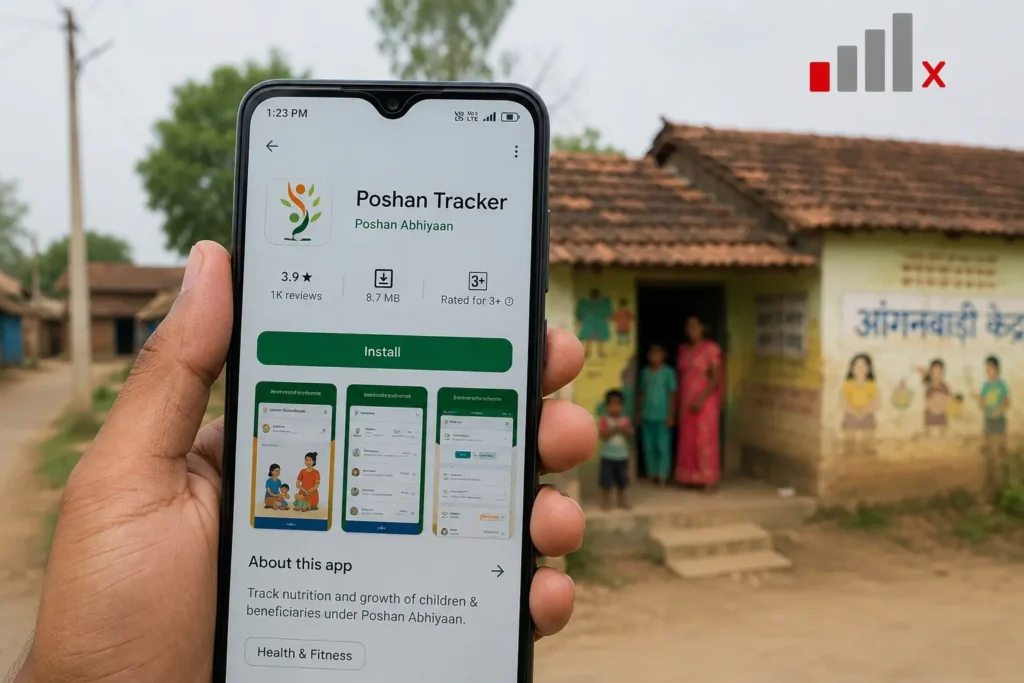
For frontline workers, the Poshan Tracker is primarily accessed through the official Android mobile application. The app is lightweight (under 15 MB) and designed to function optimally on entry‑level smartphones.
Installation Steps:
- Go to the Google Play Store and search for “Poshan Tracker.”
- Look for the app published by the Ministry of Women and Child Development.
- Click “Install” and wait for the download to complete.
- Open the app and grant necessary permissions (camera for QR scanning, storage for offline data, and location for field verification).
Updating the App:
Regular updates are pushed to fix bugs, introduce new features (such as AI‑based growth prediction), and sync with the latest WHO growth charts.
Workers are advised to enable auto‑update on their devices. However, in areas with limited internet, the app supports offline mode—data is stored locally and synced automatically once connectivity is restored.
This offline‑first approach is critical for India’s rural hinterlands, where network fluctuations are common.
📌 Always verify the app version in the settings menu. The latest version includes real‑time MUAC (Mid‑Upper Arm Circumference) tape integration and improved vernacular language support.
The Poshan Calculator: Where Data Becomes Meaning
The heart of the Poshan Tracker is its embedded calculator. This is not a generic BMI tool; it is a sophisticated implementation of the WHO Anthro survey software.
When a worker enters a child’s date of birth, gender, weight, and height/length, the calculator processes these inputs to produce three critical Z‑scores:
- Weight‑for‑Age (WAZ) – indicates underweight.
- Height‑for‑Age (HAZ) – indicates stunting (chronic malnutrition).
- Weight‑for‑Height (WHZ) – indicates wasting (acute malnutrition).
The calculator also computes the BMI‑for‑Age percentile for older children. Based on predefined cut‑offs (e.g., WHZ < -3 SD for SAM, WHZ between -3 and -2 SD for MAM), it automatically assigns a color code: Green (normal), Yellow (MAM), or Red (SAM).
Moreover, the Poshan Tracker calculator tracks growth velocity. For instance, if a child was in the Yellow zone last month but has dropped to Red this month, the system triggers an escalation alert, prompting an immediate home visit.
This feature transforms raw numbers into actionable medical intelligence, reducing the cognitive load on workers who may not be statistical experts.
Dashboard and Reporting: The Real Power of Poshan Tracker
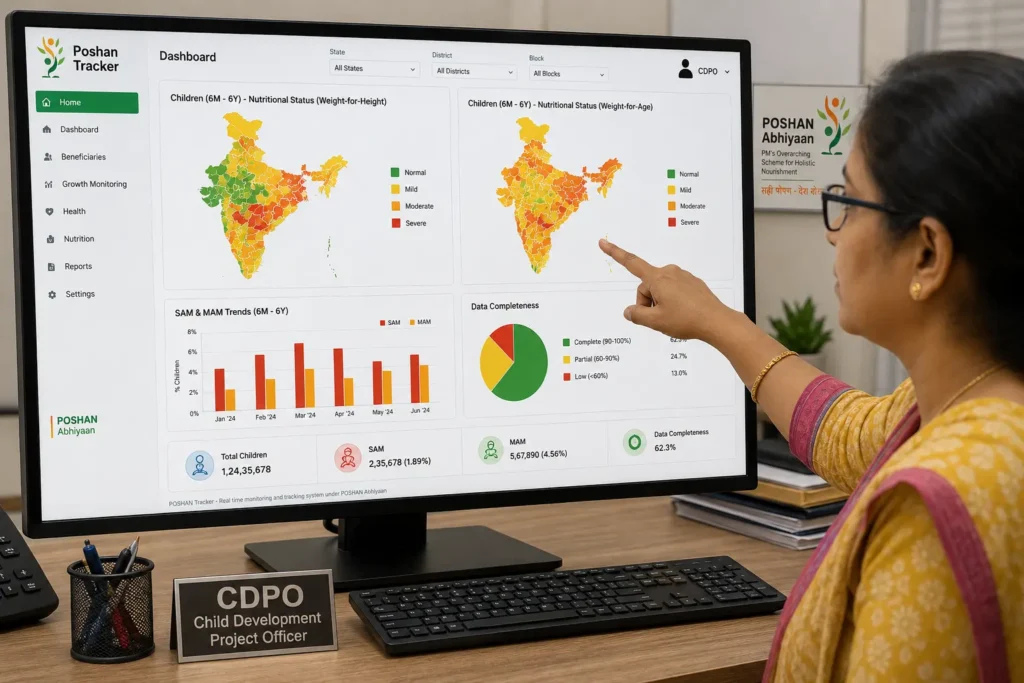
While the mobile app is the data collection engine, the web dashboard is the analytical powerhouse. Accessible via desktop browsers, the dashboard aggregates data from thousands of Anganwadi centers to paint a comprehensive picture of the district’s nutritional health.
Key features of the dashboard include:
- Performance Scorecards: Each center is rated based on data completeness, timeliness of entries, and reduction in SAM/MAM cases over time.
- Geographical Heatmaps: Visually highlight malnutrition hotspots, enabling targeted interventions.
- Trend Analysis: Track month‑on‑month changes in stunting and wasting rates.
- Pending Task Lists: Show workers which children have missed their monthly weighing or immunizations.
- Supply Chain Visibility: Monitor THR stock levels across centers to prevent shortages.
Supervisors rely on these reports during review meetings. Instead of sifting through piles of paper, they project the dashboard on a screen and discuss specific outliers. This data‑driven approach has significantly improved the speed of decision‑making and resource allocation.
Ministry of Women & Child Development Govt of India
The Poshan Tracker is a flagship initiative under the Ministry of Women and Child Development (MWCD), Government of India. It is the digital backbone of the Poshan Abhiyaan (National Nutrition Mission), launched in 2018 to eliminate malnutrition by 2022—a target that has since been extended with renewed vigor.
The Ministry provides the overarching policy framework, funding, and technical support for the platform.
It collaborates with state governments, UNICEF, and the Bill & Melinda Gates Foundation to ensure the Poshan Tracker aligns with global best practices while remaining culturally and contextually relevant for Indian communities.
The Ministry also conducts regular “Poshan Pakhwada” (Nutrition Fortnights), during which the tracker is used to measure community outreach and impact.
Every data byte captured by the Poshan Tracker flows up to the Ministry’s central data lake, enabling the government to formulate evidence‑based policies, allocate budgets to high‑burden districts, and measure the return on investment for various nutrition interventions.
Integration with ICDS Services
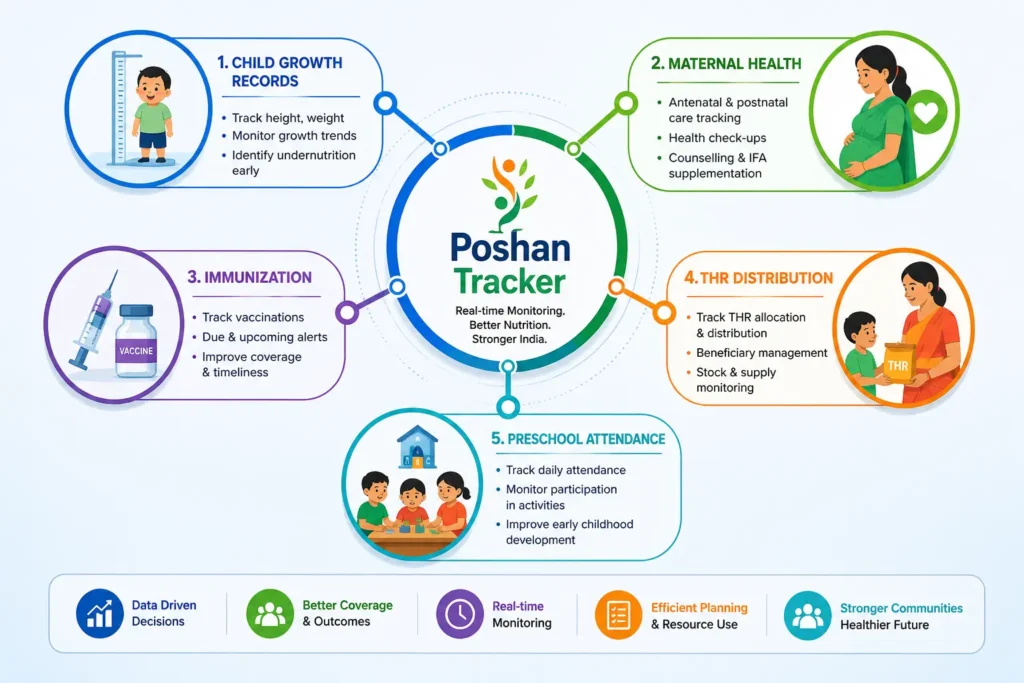
The Poshan Tracker does not work in isolation. It is deeply integrated with the broader Integrated Child Development Services (ICDS) ecosystem, which is the world’s largest community‑based program for early childhood development.
This integration ensures a seamless flow of information across different pillars of ICDS.
Child Growth Records
Every child enrolled in the Anganwadi center has a digital growth record. The Poshan Tracker maintains a longitudinal history of their weight, height, and MUAC from birth to six years.
This longitudinal record is priceless for pediatricians and nutritionists, as it reveals growth faltering patterns that might otherwise be missed.
Maternal Weight Gain
Pregnant and lactating mothers are also tracked. The system records their weight gain during pregnancy, ensuring they receive adequate supplemental nutrition.
If a mother’s weight gain falls below the recommended trajectory, the app alerts the worker to counsel her on dietary intake.
Home Visits
The Poshan Tracker schedules and logs home visits. Workers can mark a visit as completed, pending, or missed. For SAM children, the system mandates a minimum of two home visits per month, ensuring that the most vulnerable receive continuous attention.
Immunization Reminders
Integrated with the national immunization schedule, the app sends push notifications to workers about upcoming vaccinations for children under their care. This has improved vaccination coverage in many pilot districts.
THR / Anganwadi Supply
Take‑Home Rations (THR) are critical for combating malnutrition. The Poshan Tracker includes a module to track THR inventory and distribution. Workers can scan QR codes on ration packets to verify delivery and update stock levels in real time.
Preschool Attendance
Early Childhood Care and Education (ECCE) is a vital part of ICDS. The tracker records daily preschool attendance, helping supervisors identify dropouts and intervene early.
Beneficiary Registration
Newborns and pregnant mothers are registered digitally right at the Anganwadi center. This eliminates duplication (a common issue in paper registers) and creates a unique beneficiary ID that can be linked to Aadhaar for seamless service delivery.
Supervisor Reports / Tracking
Supervisors use the integrated data to generate comprehensive reports on all the above parameters. They can track which centers are performing well and which require additional training or resources.
Common Misconceptions vs Reality
Despite the widespread adoption of the Poshan Tracker, several myths persist among workers and community members. Let’s debunk them.
Myth
“The app is only for government workers; we parents cannot check it.”
Reality
While the primary input interface is for workers, the Poshan Tracker portal offers a Beneficiary Login option. Parents and pregnant women can log in using their registered mobile number to view their child’s growth charts and receive customized health tips.
Myth
“The Poshan Tracker is too complicated for older workers to use.”
Reality
The app has been iteratively designed with human‑centered design principles. It features large fonts, voice‑assisted navigation in regional languages, and a simplified onboarding process. Millions of workers over the age of 50 are successfully using it today.
Myth
“If the phone has no internet, the data is lost forever.”
Reality
False. The Poshan Tracker has robust offline storage. Data is saved locally and automatically synced to the central server when the internet becomes available. No data loss occurs.
Myth
“The app replaces the need for medical doctors.”
Reality
The app is a screening and monitoring tool, not a diagnostic one. It flags potential risks and aids in timely referral, but clinical diagnosis and treatment must always be done by qualified medical professionals.
Myth
“Only children below 5 years are tracked.”
Reality
While the primary focus is 0‑6 years, the Poshan Tracker also tracks pregnant and lactating mothers, and in some states, adolescents up to 18 years are included in the nutritional surveillance.
Field Challenges Nobody Mentions
Implementing the Poshan Tracker at scale has not been without hurdles. Being honest about these challenges is key to continuous improvement.
- Device Scarcity: Many Anganwadi centers still rely on a single shared smartphone. If the device is damaged or stolen, the center’s data entry comes to a standstill.
- Battery and Power Issues: In rural areas with frequent power cuts, charging devices becomes a logistical nightmare, affecting data entry consistency.
- Data Entry Fatigue: Workers often handle multiple government apps (e.g., for pensions, ration cards) alongside the Poshan Tracker. This “app fatigue” can lead to rushed, error‑prone entries.
- Digital Literacy Gaps: Despite training, some workers struggle with touchscreen gestures or navigation, requiring frequent hand‑holding from supervisors.
- Server Downtime: During peak usage hours (like the 1st‑10th of the month), the central servers occasionally slow down, frustrating workers in the field.
- Measurement Errors: The accuracy of the tracker depends heavily on the accuracy of the weighing scale and stadiometer. If equipment is uncalibrated, the app outputs misleading Z‑scores—highlighting the importance of regular equipment audits.
The government is actively addressing these issues by distributing solar chargers, conducting refresher training, and upgrading server infrastructure.
Key Campaign Activities
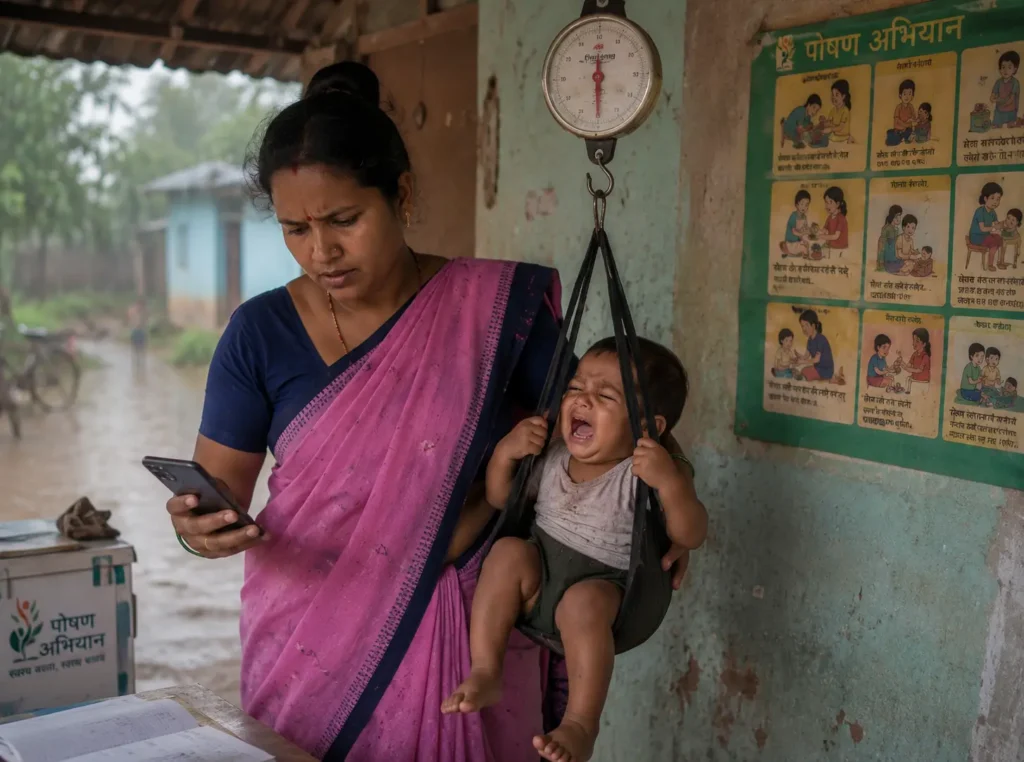
The Poshan Tracker is used as the central monitoring tool during national and state‑level nutrition campaigns. These campaigns are crucial for mobilizing communities and achieving mass‑scale impact.
Community Meetings
Under the Poshan Abhiyaan, “Jan Andolan” (people’s movement) meetings are organized at the village level. Workers use the Poshan Tracker to project the community’s nutritional status on a large screen (or printouts), making the data transparent. These meetings foster community ownership and encourage mothers to bring their children for regular check‑ups.
Growth Camps
Special growth camps are organized in high‑burden hamlets. A team of workers and health officials set up temporary clinics, measure all children, and immediately enter data into the Poshan Tracker.
This blitz approach helps identify hidden cases of malnutrition in hard‑to‑reach populations.
Counseling Visits
Following the campaigns, targeted counseling visits are conducted for families with SAM/MAM children. The Poshan Tracker provides a custom‑generated dietary advice sheet based on the child’s age and weight deficit, which the worker prints or reads out during the visit.
Before vs After Comparison
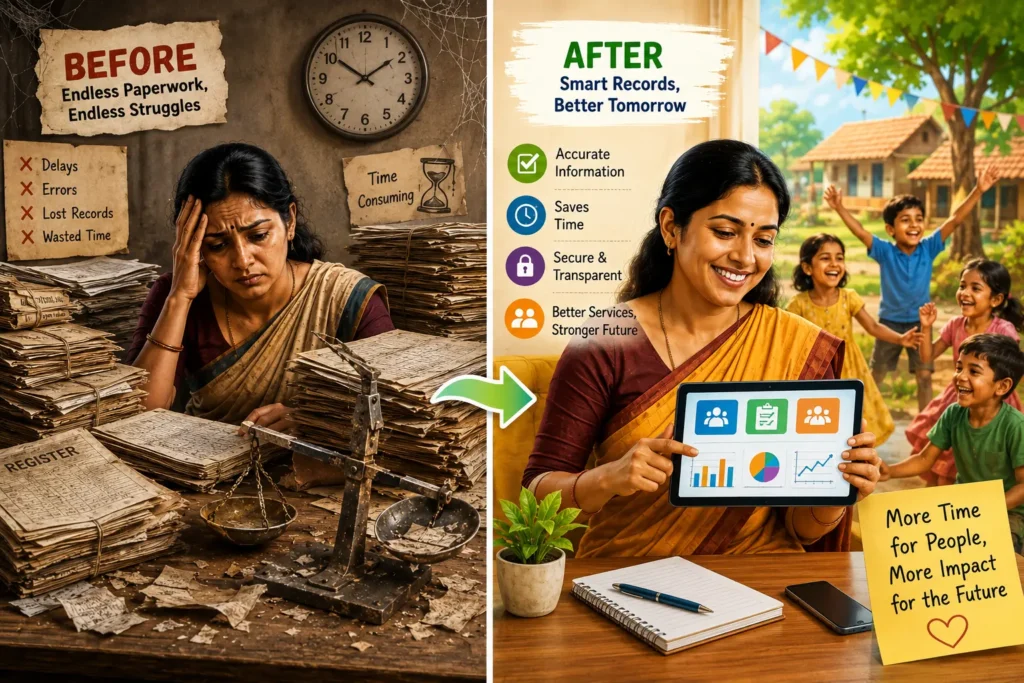
To truly appreciate the Poshan Tracker, one must compare the pre‑digital era with the current system.
Before (Pre‑Poshan Tracker)
- Data was handwritten in bulky registers.
- Arithmetic errors were rampant in Z‑score calculations.
- Monthly reports were submitted late, often delayed by weeks.
- There was zero visibility for supervisors on daily activities.
- Malnourished children were identified only during quarterly health camps.
- Duplicate beneficiary entries were common.
- Stockouts of THR were discovered only when supplies ran out completely.
After (With Poshan Tracker)
- Data is entered digitally on the spot.
- Z‑scores are calculated automatically with 100% accuracy.
- Reports are generated in real‑time with a single click.
- Supervisors have live dashboards for daily oversight.
- SAM/MAM children are flagged within seconds of data entry.
- Each beneficiary has a unique ID, eliminating duplicates.
- Inventory alerts notify the block office well before a stockout occurs.
This transformation has not only saved countless administrative hours but—more importantly—has saved lives by accelerating the response time for malnutrition.
Understanding Poshan Charts and Visual Aids
The Poshan Tracker heavily relies on visual aids to communicate complex growth data to all stakeholders. The most common visual is the Growth Chart—a line graph that plots the child’s measurements against the WHO standard percentile curves.
- The X‑axis represents the child’s age in months.
- The Y‑axis represents weight (in kg) or height (in cm).
- The chart contains three primary lines: the 3rd percentile (underweight threshold), the 50th percentile (median), and the 97th percentile.
When a child’s growth line dips below the 3rd percentile or crosses two major percentile lines (e.g., from 15th to 5th), the Poshan Tracker automatically flags a “growth faltering” alert.
For frontline workers, these visual charts are far more intuitive than raw Z‑scores. They enable the worker to show the child’s progress to the mother graphically, motivating her to adhere to nutrition counseling.
Additionally, the app uses traffic‑light emojis (🟢, 🟡, 🔴) and progress bars to simplify status recognition at a glance, even for workers with limited literacy.
Quick Tip Box
Here are five rapid tips for maximizing the potential of the Poshan Tracker:
- Always update the app before the 1st of every month to get the latest bug fixes and WHO reference updates.
- Calibrate your weighing scale weekly using a standard 5‑kg weight to ensure accurate data input.
- Use the ‘Reminder’ feature to set alarms for due immunizations and home visits—it saves you from remembering everything.
- Cross‑verify the child’s date of birth during registration; an incorrect birthdate skews all future Z‑score calculations.
- Log out properly at the end of the day to prevent unauthorized access to beneficiary data.
Administrative Use Beyond Child Records
While the Poshan Tracker is primarily a nutrition monitoring tool, administrators are increasingly using it for broader administrative purposes:
- Workforce Management: Track the attendance and geo‑location of Anganwadi workers to ensure they are physically present in their assigned centers.
- Supply Chain Optimization: Analyze THR consumption patterns across centers to forecast demand accurately, reducing both wastage and shortages.
- Incentive Reconciliation: Link the data entry quality and regularity of a worker to their performance‑based incentives, promoting a culture of accountability.
- Disaster Response: During floods or droughts, administrators use the tracker to quickly identify vulnerable children in affected areas and prioritize relief distribution.
This multifaceted use makes the Poshan Tracker an indispensable tool for district administration.
How to Login Poshan Tracker Portal
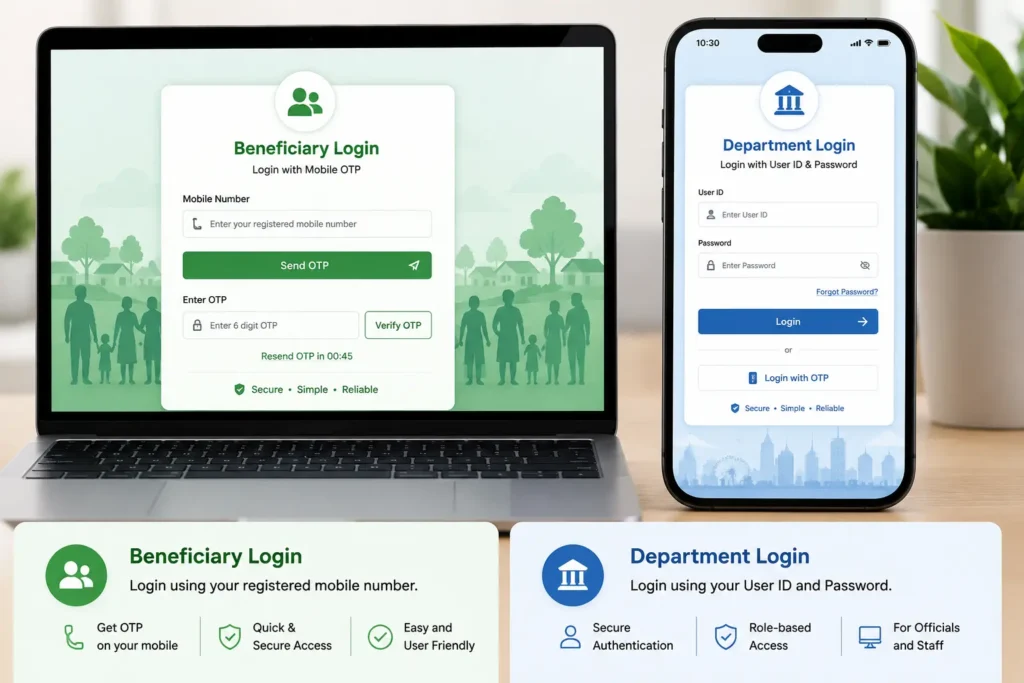
Accessing the Poshan Tracker differs based on the user’s role. Below are the detailed step‑by‑step guides for both beneficiaries and departmental staff.
Beneficiary Login Guide (Pregnant Women, Mothers, etc.)
Parents and community members can access limited but vital information through the beneficiary portal.
Step 1:
Visit the official Poshan Tracker web portal (URL provided by your state government or search “Poshan Tracker Beneficiary Login”).
Step 2:
Click on the “Beneficiary Login” tab located on the top right corner of the homepage.
Step 3:
Enter your registered mobile number (the one linked to your child’s Anganwadi record). Click “Send OTP”.
Step 4:
You will receive a 6‑digit OTP on your mobile. Enter the OTP and click “Verify”.
Step 5:
Once logged in, you can view your child’s growth chart, upcoming immunization dates, THR entitlement status, and download a health summary report. You can also update your family’s contact details if needed.
Department Login Guide (Anganwadi Workers, Supervisors)
Government employees and field staff use a different entry point with advanced permissions.
Step 1:
Go to the official Poshan Tracker login page (the URL is usually provided during your training session).
Step 2:
Select your role from the dropdown menu: “Worker”, “Supervisor”, or “Block/District Officer”.
Step 3:
Enter your official User ID (this is typically your center code or employee ID).
Step 4:
Enter your password. (Default passwords are often assigned initially; you are strongly advised to change it upon first login.)
Step 5:
Complete the two‑factor authentication—either an OTP to your registered mobile or a biometric scan (in states where this feature is active). After login, you will be directed to your customized dashboard to begin your daily tasks.
Practical Tips for Workers Using the System
Based on feedback from thousands of ground‑level users, here are some battle‑tested tips:
- Batch Entry: Enter data for all children in one sitting instead of opening the app multiple times. This conserves battery life and reduces distractions.
- Voice Input: Utilize the voice‑to‑text feature available in many regional languages to enter comments or notes quickly, especially when your hands are full with a child.
- Offline First: Do not wait for a network. Enter the data offline; the app will sync automatically when the signal is strong, saving you significant waiting time.
- Take a Screenshot: If the app crashes after a long entry, take a quick screenshot of the final screen before restarting—this helps you re‑enter data without re‑measuring the child.
- Attend Refresher Trainings: The system evolves every quarter. Make sure you attend all district‑level refresher trainings to learn about new features like the recent AI‑based weight prediction tool.
Note
Important Disclaimer: The Poshan Tracker is an auxiliary tool designed to support health workers and caregivers. It does not replace the clinical judgment of a qualified doctor.
All SAM alerts and growth failure flags should be followed up with a formal medical examination. The app’s recommendations are based on population‑level standards; individual variations may apply. Always consult your local PHC or pediatrician for definitive medical advice.
Frequently Asked Questions
Q: Is the Poshan Tracker available in languages other than English?
Yes. The app and web portal support more than 12 regional languages including Hindi, Tamil, Telugu, Bengali, Marathi, and Odia. Language can be selected during the initial setup.
Q: Can I access my child’s historical data after they turn 6?
Yes, the records are archived in the system. You can log in as a beneficiary and view the complete growth history even after the child ages out of the program.
Q: What should I do if the app shows the wrong age for my child?
Immediately inform your Anganwadi worker. They can raise a correction request in the system, which will be reviewed by the supervisor and updated after verification of the birth certificate.
Q: How does the Poshan Tracker ensure data privacy?
All personal data is encrypted both in transit and at rest. Access is restricted by role; for instance, a worker from one center cannot view data from another center. The system complies with the Government of India’s data protection guidelines.
Q: What is the cost of using the Poshan Tracker?
The app and portal are entirely free for all users. The government covers all licensing and operational costs.
Q: Can I use the tracker on an iOS device?
Currently, the dedicated mobile app is available only for Android devices. However, iOS users can access the web portal through their browser to view reports and dashboards.
Q: How often is the WHO growth data updated in the app?
The WHO Anthro standards are static for the most part, but the government releases technical updates annually. The app is updated via the Play Store to reflect these changes.
Q: What if I lose my registered mobile number?
Contact your Anganwadi supervisor immediately. They will initiate a KYC‑based mobile number update process through the department portal to restore your access.
Final Thoughts
The Poshan Tracker is more than a smartphone application—it is a national movement toward data‑driven nutrition security. It has democratized growth monitoring, empowering the last‑mile worker with the same analytical power that was once reserved for city‑based statisticians.
The journey has not been without friction: connectivity issues, hardware constraints, and human error still pose challenges. However, the trajectory is undeniably positive.
Every time a child’s growth chart turns from red to yellow, and then from yellow to green, the Poshan Tracker validates its existence.
It is a testament to how thoughtful technology, when combined with the dedication of frontline warriors, can rewrite the health destiny of a nation.
As we move toward 2030 and the Sustainable Development Goals, the Poshan Tracker will continue to be the compass guiding India’s quest to eradicate malnutrition.
Let’s track, act, and nourish—together.
This comprehensive guide to the Poshan Tracker has been prepared to serve as a one‑stop reference for all stakeholders—from new mothers to district administrators. Bookmark it, share it, and use it to make every child count.